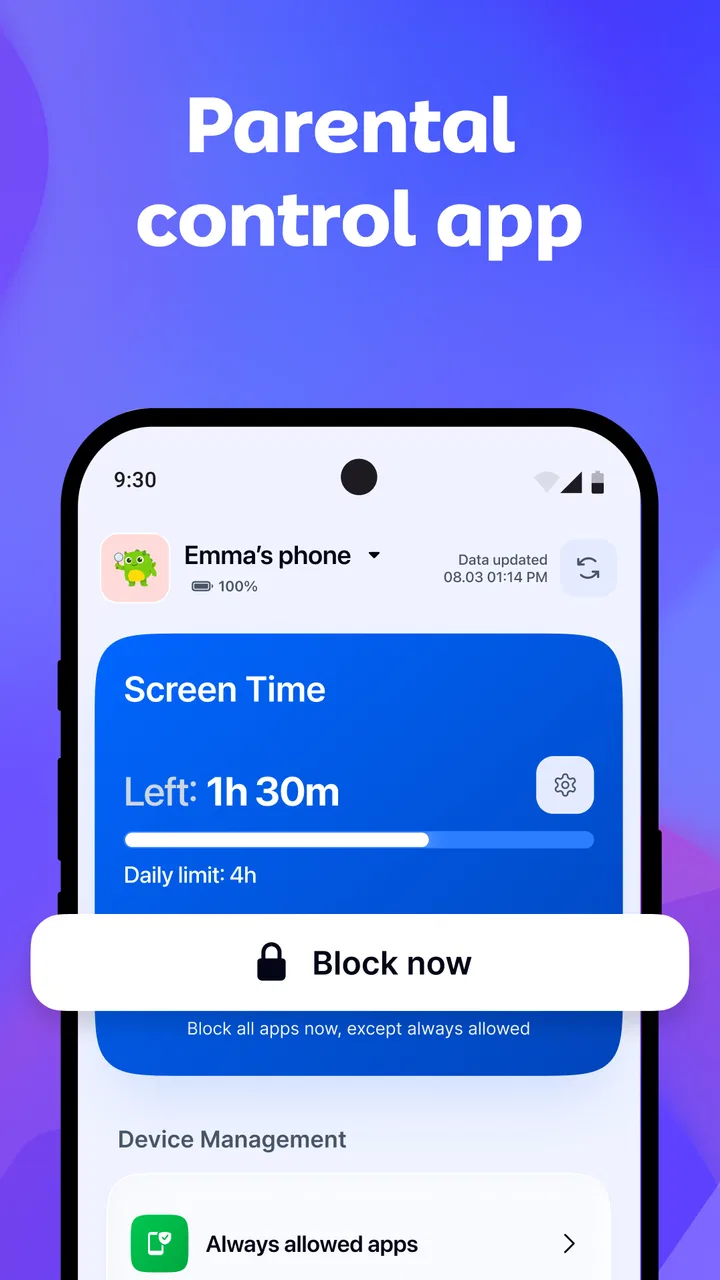
Kidden Parental Control App
- 4.2
- Rating
- 50.00K
- Installs
- Free
- Price

 Analysis by App-foxy
Parenting apps often look most useful on the day a family installs them: everyone is tired, a child has spent too long on a device, and a quick solution feels overdue. I approached Kidden with that first-week excitement in mind, but I also paid attention to what happens after the initial setup loses its novelty. Developed by Applyft Ltd, this free parenting app is designed to help families manage children’s screen time and device use, with optional purchases ranging from $6.99 to $69.99 per item.
My overall impression is that Kidden makes the most sense as a practical boundary-setting tool, not as a substitute for a conversation with a child. It can give parents a clearer framework for device habits, especially when rules have become inconsistent. The important question is whether that framework remains useful month after month, when parents have to keep checking it, adjusting expectations, and dealing with the inevitable complaints.
What Kidden feels like during the first week
The strongest part of the early experience is the clarity of the problem it addresses. Instead of treating screen use as a vague family argument, Kidden puts the focus on managing time and device access. That shift matters. A parent can move from saying “you have been on the tablet too long” to having a more definite routine around when device use is allowed and when it needs to stop.
You May Also Like

 Blood Strike: 2.5 Anniversary
Blood Strike’s Loadouts Turn Every Drop Into a Tactical Gamble
A close look at Blood Strike’s custom loadouts: how fast access to signature weapons reshapes its battle royale rhythm, rewards preparation, and narrows the gap between fights.

 Pandora - Music & Podcasts
Pandora’s Music Is Easy to Start, but Harder to Recover
Pandora’s strength is its low-effort path from a seed to a station. Its weak spot is how much confidence it asks you to place in connection, setup, and quiet recovery.

 8 Ball Pool
 Is Built on Rivalries, Rematches, and Routine
A close look at the rivalries, rematches, shared routines, and unanswered safety questions that turn a quick pool match into a persistent mobile community.

 Samsung Music
’s Quiet Strength Is Playing What You Already Own
Its reach comes less from spectacle than from dependable access to a personal library. That simplicity is both the app’s strongest retention engine and its ceiling.

 AccuWeather: Weather Radar
AccuWeather Review: A Quick, Clear Forecast for Everyday Decisions
For everyday plans, the best forecast is the one you can understand quickly. AccuWeather makes rain timing, radar, and local conditions easy to act on, with a few trade-offs.

 Hill Climb Racing
Why Hill Climb Racing Still Turns Crashes Into One More Run
A tiny car, a bumpy hill and one more upgrade: Hill Climb Racing keeps resurfacing because its simple chaos makes every near-miss feel personal.
More From Our News Desk



I found the app easiest to appreciate when used alongside a simple household rule. For example, a family might agree that homework, meals, and bedtime come before recreational device use. Kidden can then support that agreement rather than carrying the entire responsibility. This distinction is important because a parental control app works best when the child understands the reason behind a limit. Without that explanation, even a well-organized control can feel like an unexplained punishment.
The app belongs in the parenting category, and its Everyone content rating makes it approachable for households looking for a straightforward family-management tool. It is available at no upfront cost, which lowers the barrier to trying it. At the same time, parents should remember that optional in-app purchases are part of the experience, so it is sensible to review what is included before building a long-term routine around any paid element.
A realistic first-week scenario would be a child who regularly starts using a device after school and then loses track of time before dinner. Rather than negotiating from scratch every afternoon, a parent can use Kidden as the consistent reference point. The immediate benefit is not simply fewer minutes on a screen. It is reducing the number of repeated arguments about whether “just five more minutes” should become another half hour.
That consistency is one of the app’s less obvious strengths. Parents often do not need a complicated system; they need the same rule to apply on a busy Tuesday as it does on a relaxed Saturday. Kidden is more useful when it becomes part of a predictable routine instead of being opened only after a disagreement has already started.
Where the early appeal can mislead
The first few days can make any screen-time tool feel transformative because the family is paying close attention. Parents are more likely to discuss limits, children are more aware of the new arrangement, and everyone is watching to see whether it works. That initial attention should not be mistaken for lasting success. The real test is whether Kidden still helps when nobody is especially motivated to maintain the routine.
I would also avoid presenting the app to a child as a surveillance device. A better introduction is to explain that the family is trying to make device time predictable. That wording keeps the focus on balance and routine. It also makes later adjustments easier, because changing a schedule feels like managing a household agreement rather than weakening a secret control system.
Another useful first-week habit is to start conservatively. If a parent immediately creates strict limits that do not fit schoolwork, travel, weekends, or shared-device use, frustration can arrive before the app has had a fair chance. A smaller rule that the family can follow consistently is more valuable than an ambitious arrangement that requires daily exceptions.
Whether it earns a place from month to month
Long-term value depends on whether Kidden helps a family make better decisions, not merely whether it can impose a limit. Children’s schedules change, school demands vary, and device use that is reasonable on one day may be disruptive on another. I would keep the app in regular use when it helps parents notice those patterns and make deliberate adjustments instead of reacting emotionally.
For younger children, the recurring value may come from repetition. A stable device routine can make transitions easier because the end of screen time is no longer a surprise. For older children, the benefit is more conditional. They may respond better when parents use Kidden as part of a gradual move toward self-management, discussing why a boundary exists and allowing appropriate responsibility to develop over time.
This is where Kidden differs from relying only on the built-in controls on Android or iOS. Those system tools can be convenient, especially for a technically confident parent who wants to manage one device directly. Kidden is more appealing when the parent wants a parenting-focused layer around the issue rather than a collection of operating-system settings. The trade-off is that a dedicated app becomes another thing to learn, monitor, and remember.
I would not choose Kidden simply because it has more control than a phone’s native settings. More control is not automatically better. A family with one child, one device, and a simple bedtime rule may find built-in tools less demanding. Kidden earns its place more convincingly when the household needs a clearer parenting workflow and wants screen use to be discussed as part of family life.
The app has a current version identified as p1.5.6, and it supports devices running Android 7.0 or later. That makes its practical usefulness dependent on the devices in the household, particularly if an older phone or tablet is being reused for a child. Before planning a family-wide setup, I would check that every relevant device meets the requirement rather than assuming an older spare device will work.
A routine that keeps the app useful
My preferred approach would be to review the arrangement once a week, not constantly. A short weekly check gives parents a chance to ask three practical questions: Did the limits fit the child’s actual schedule? Were there too many exceptions? Did the child understand what was expected? This turns Kidden into a tool for adjusting habits instead of a fixed rule that becomes outdated.
One non-obvious benefit of this rhythm is that it separates planning from conflict. Parents can make changes during a calm moment rather than altering everything while a child is already upset about losing access. That small separation can make the app feel less punitive and makes it easier to explain why a rule changed.
I would also keep weekend expectations distinct from school-day expectations where appropriate. A schedule that works on a school night may be unnecessarily rigid during a long family trip, while a relaxed holiday routine can be difficult to reverse. Kidden is most helpful when it supports those real differences without turning every change into a major negotiation.
For shared family devices, I would be especially careful about who the rule is meant for. A tablet used by several children can create confusion if one child’s needs are treated as identical to another’s. In that situation, the app may still help with broad household boundaries, but parents should avoid assuming that one setting can fairly represent different ages, responsibilities, or school requirements.
The maintenance burden parents should expect
The main cost of a parental control app is not necessarily money. It is attention. Parents have to remember that a rule exists, explain it, revisit it, and decide what to do when real life does not fit neatly inside it. Kidden can reduce the effort of enforcing a boundary, but it cannot remove the need for judgment.
That maintenance is manageable when the household has a small number of clear rules. It becomes tiring when parents keep changing limits in response to every complaint or unusual day. I would resist making Kidden the place where every parenting decision is stored. A few meaningful boundaries are easier to maintain than a detailed system that requires constant fine-tuning.
There is also a human maintenance task: keeping the child involved in the conversation. If the parent only checks the app when access needs to be blocked, the tool can become associated with disappointment. If the parent occasionally explains the routine when things are calm, Kidden has a better chance of supporting cooperation rather than simply triggering resistance.
Families should also decide in advance how they will handle exceptions. Homework, educational activities, travel, illness, and family events can all make a normal screen-time arrangement impractical. The useful question is not whether exceptions are allowed, but whether they are deliberate and rare enough that the main routine remains understandable.
For younger children, parents may need to do most of this maintenance themselves. For older children, I think the better long-term strategy is to involve them in reviewing the arrangement. That does not mean giving up every limit. It means using the app as a starting point for discussing priorities, consequences, and the gradual responsibility that comes with age.
What may cause fatigue over time
The first source of fatigue is repetition. Any control system can become irritating if it generates the same argument every day. Kidden may make a boundary more consistent, but consistency can still feel exhausting when the child is unhappy with the boundary. Parents should not expect the app to eliminate resistance; its more realistic role is to stop resistance from changing the rule every time.
The second source is overreliance. If a parent begins checking device use constantly, the app can increase anxiety rather than reduce it. I would use it to support a family plan, then step back. The goal is not for the parent to become a full-time monitor. The goal is for the child to develop a more predictable relationship with the device.
A third issue is the gap between technical control and family context. A limit can be reasonable in isolation but awkward during a group project, a video call with relatives, or a trip where the device serves as a practical aid. Parents who want highly nuanced context-aware management may eventually find a dedicated parental-control app less flexible than they hoped, especially if their household rules change frequently.
The optional purchase model can also create a decision point. Since the app is free to try but includes purchases from $6.99 to $69.99 per item, I would not pay simply because the family is frustrated during the first difficult week. First establish whether the basic routine is being followed and whether the app is genuinely reducing conflict. A paid feature is easier to judge once the household knows what kind of support it actually needs.
Its average rating is 4.2 from around 1.4 thousand ratings, while the app has passed 50 thousand installs. Those figures suggest that Kidden has attracted meaningful interest and generally positive feedback, but they should not replace a personal trial. Parenting situations vary too much for popularity alone to show whether the app fits a particular family.
Who should use it, and who should skip it
I would recommend trying Kidden for parents who want a dedicated way to bring structure to children’s device use and who are willing to maintain a small number of clear rules. It is especially suitable when screen-time arguments happen repeatedly and the family needs a consistent reference point. It may also suit parents who find operating-system controls scattered or too technical for the way they want to manage a child’s routine.
I would be more cautious for families that already have a calm, effective agreement and rarely need technical enforcement. Adding another app in that situation could create more administration than value. I would also hesitate if the parent expects Kidden to solve broader issues such as sleep problems, lack of outdoor activity, or conflict between siblings. Screen-time management can support those conversations, but it cannot replace them.
Families with very complex device arrangements should compare Kidden carefully with the controls already available on their platforms. A native solution may be better when the priority is direct integration and minimal setup. A broader family-management service may be preferable when parents need a large ecosystem of controls across many devices. Kidden’s strongest case is narrower: it is a parenting-oriented way to make device boundaries more deliberate.
The Everyone rating is reassuring for a general family audience, but parents should still decide how much independence is appropriate for each child. Age alone does not determine whether a child is ready to manage device limits. Maturity, school demands, sleep habits, and the family’s ability to communicate matter just as much as the control itself.
The lasting value after novelty fades
After the first week, Kidden’s value depends on habit. If parents open it only when something goes wrong, it may feel like an emergency brake. If they use it to establish a stable routine, review that routine occasionally, and explain changes clearly, it has a better chance of earning lasting space on the family’s devices.
I particularly like the possibility of using the app to make conversations less personal. A parent can point to an agreed routine instead of presenting every limit as a fresh personal decision. That does not remove the parent’s authority, but it can reduce the feeling that the rules change according to mood. The approach works best when the parent remains flexible about exceptional situations while staying firm about the overall purpose.
There is a trade-off here. The more carefully a family adapts the arrangement, the more maintenance it requires. A simple routine is easier to sustain but may not fit every situation. A detailed routine can feel more precise but may produce more exceptions and more work. I would choose the simplest version that addresses the family’s actual problem, then add complexity only when a repeated issue justifies it.
Applyft Ltd has positioned Kidden as a free parenting app rather than something families must purchase before they can test the idea. That makes experimentation reasonable, particularly for parents who have not yet found a comfortable way to discuss screen time. Still, the presence of paid items means I would treat any upgrade as a considered decision, not an automatic part of installation.
My final view is positive but measured. Kidden is not a magic answer to device-related conflict, and it is not the right choice for every household. Its lasting value comes from helping parents turn vague frustration into a repeatable routine. If you are prepared to review the arrangement, handle exceptions thoughtfully, and keep the child part of the conversation, it can earn a useful place in your family’s habits. If you want a set-and-forget solution, or if your existing device controls already do everything you need, the extra maintenance may not be worth it.
My recommendation is to judge Kidden by the routine it helps you sustain, not by the excitement of the first few days. Used that way, it becomes a practical support for healthier device boundaries rather than another app that demands attention and gradually gets ignored.
FAQs for Kidden Parental Control App
01What is Kidden Parental Control App and who is it designed for?
Kidden Parental Control App is designed to help parents supervise and manage their children’s digital activity from a connected device. Depending on the features available in the current version, it may provide tools such as screen-time scheduling, app monitoring or blocking, location-related controls, and activity reports. It is mainly intended for families who want clearer visibility and healthier device routines rather than completely removing a child’s independence.
02What features does Kidden offer for managing screen time and applications?
Kidden can be useful for setting boundaries around when and how a child uses a smartphone or tablet. Parents may be able to create daily limits, establish bedtime or school schedules, restrict selected applications, and review usage information through a parent dashboard. The exact controls can vary by operating system, subscription plan, and app version, so it is worth checking the current feature list before downloading and configuring the service.
03Does Kidden Parental Control work on both Android and iOS devices?
Kidden is intended for families using mobile devices, but the available tools may differ between Android and iOS. Operating-system restrictions can affect functions such as app blocking, web filtering, background monitoring, location access, and device settings. Before installing, parents should verify that the child’s device and the parent’s device are supported, then review the required permissions and compatibility information listed in the relevant app store.
04Is Kidden Parental Control free, or does it require a subscription?
The app may offer a free installation or limited introductory access while reserving some advanced parental-control tools for a paid plan. Features such as detailed reports, multiple child profiles, extended history, location services, or broader scheduling options may depend on the selected subscription. Before starting a trial, carefully check its duration, renewal price, billing terms, and cancellation procedure through Google Play or the Apple App Store.
05Is Kidden safe to use, and what permissions should parents review?
A parental-control app needs access to certain device functions in order to monitor usage and apply restrictions, so Kidden may request permissions involving notifications, accessibility, location, device administration, or background activity. Parents should read the privacy policy, understand what information is collected and shared, and protect the parent account with a strong password. It is also best to explain the monitoring rules to children openly and use the app as part of a wider family safety agreement.
Pros
- Clear activity reports help parents understand a child’s digital habits.
- App blocking can support healthier routines during homework or bedtime.
- Location features may provide extra reassurance when children are away.
- Custom schedules make screen-time rules easier to adapt to family routines.
- A single dashboard can simplify managing several children’s devices.
Cons
- Some features may require a paid subscription after the trial period.
- Children may try to bypass controls by using another device or account.
- Location tracking can affect battery life and raise privacy concerns.
- Setup may take time
- especially when configuring multiple devices.
- Performance depends on reliable internet access and compatible device settings.

Kidden Parental Control App
Gallery